Features How it works Pricing FAQ Book a demo

Property Technology Solutions.

From application to move out, PropBoard brings leasing, tenant management, maintenance, inspections and documents into one beautifully simple system that runs under your own name. Take it all, or start with just the module you need.

Runs under your name Office, web & mobile apps Live in days
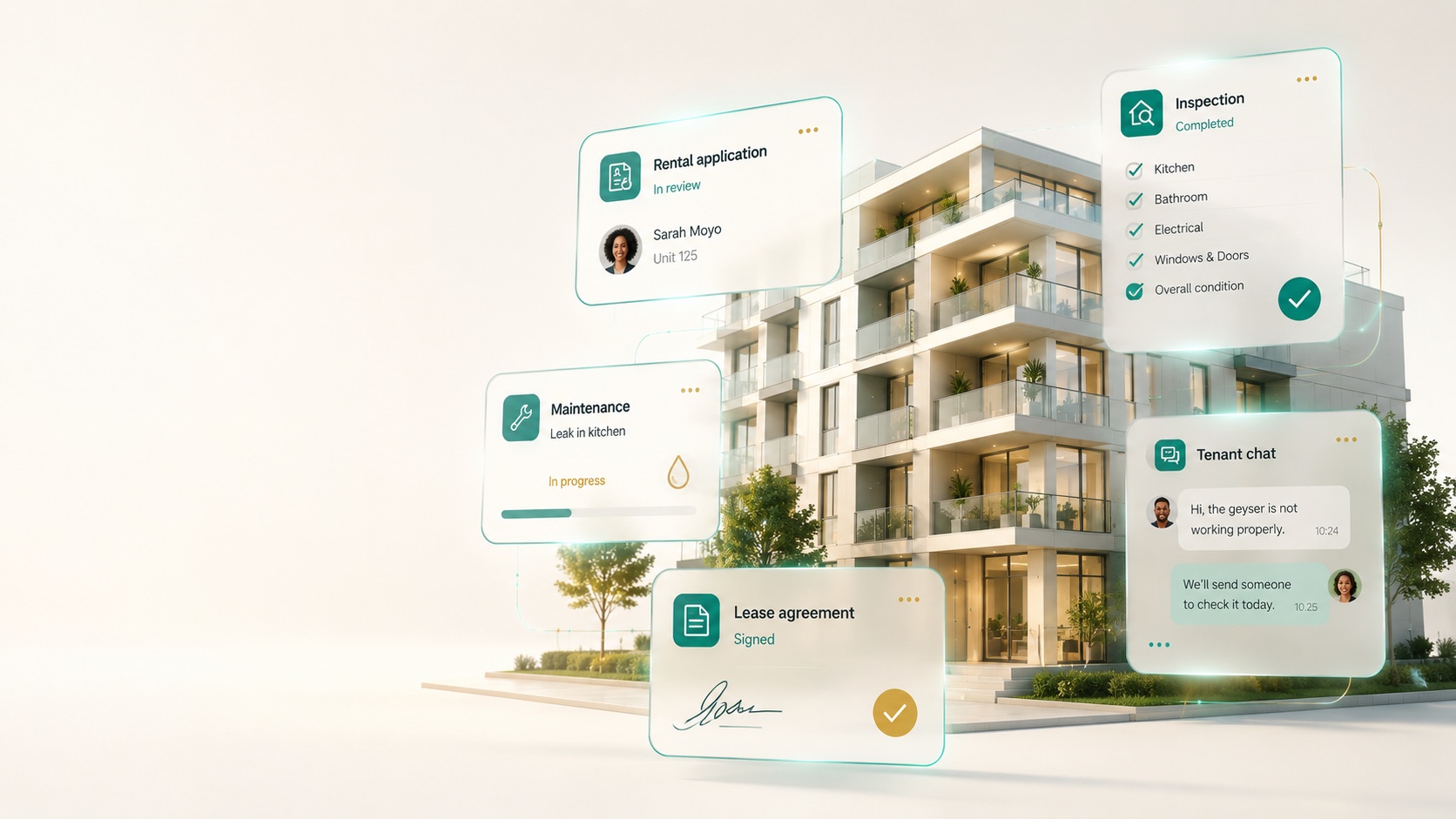
A modern white residential building in daylight with PropBoard app modules — rental application, inspection, maintenance, lease and tenant chat — shown as clean cards
90%
less application paperwork
4 steps
apply → vet → sign → move in
100%
digital, signed & stored
1 system
your whole letting journey
Everything in one place

From “I'm interested” to keys in hand.

Stop chasing paperwork over email and WhatsApp. Every application, document and signature lives in one refined place your whole team can see.

01

Online applications

A guided application tenants finish in minutes — under your own name, on any device.

02

Documents & vetting

Request documents in one click, and assess affordability and credit against every applicant.

03

Sign & move in

Debit orders and leases signed digitally by both parties, stored automatically — ready for move-in.

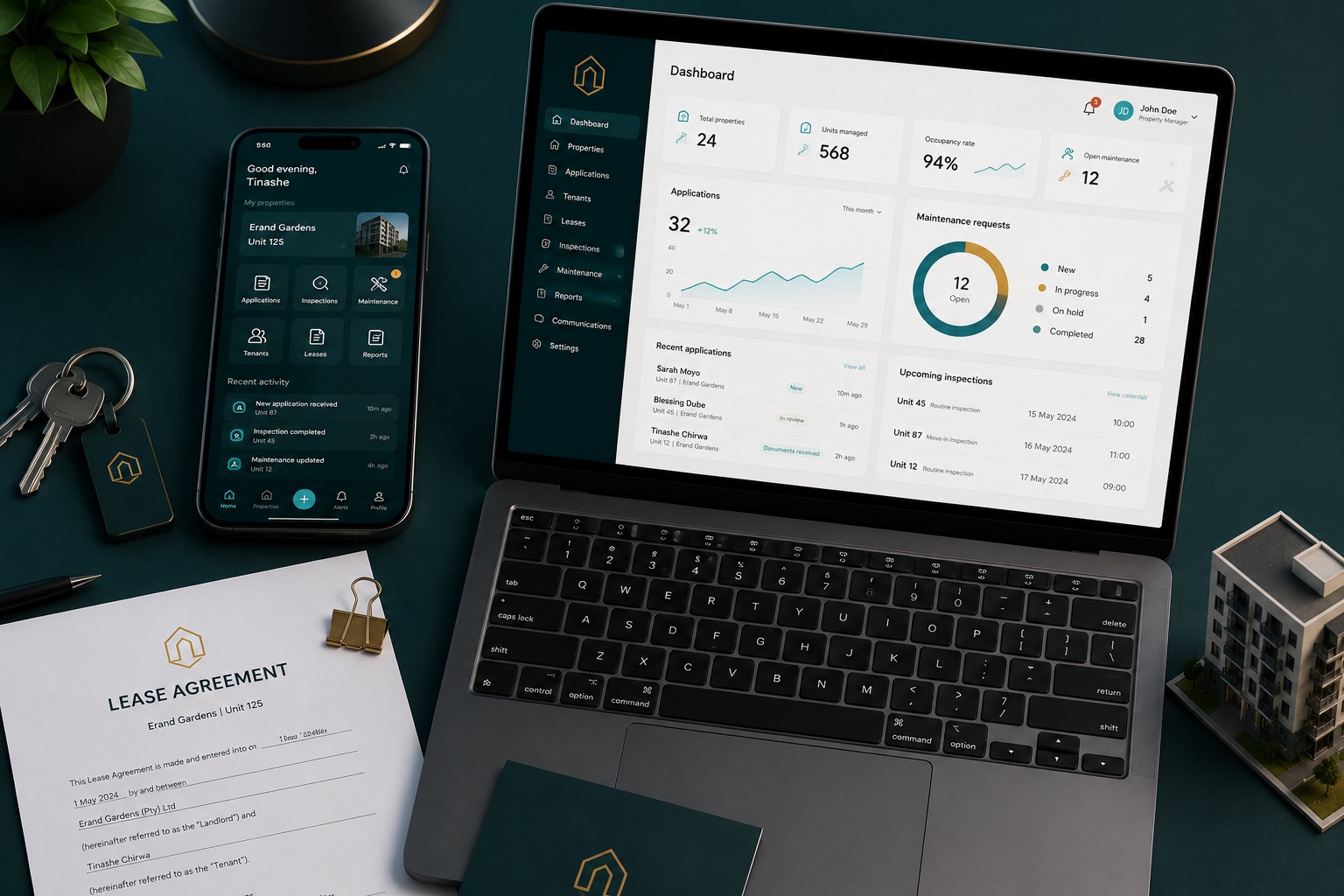
The PropBoard office dashboard on a laptop and the tenant app on a phone, with keys and a lease agreement Office dashboard
Vetting
Approved
Lease
One office dashboard

Your whole pipeline, calmly under control.

Every applicant moves through clear stages your team actually understands — from new enquiry to signed lease — with documents, notes and an audit trail attached to each one.

  • Role-based access — leasing, vetting and finance each see exactly their part.
  • Full audit log — a defensible record of who did what, and when.
  • Charges & deposits — reconcile deposits and bill back cleanly.
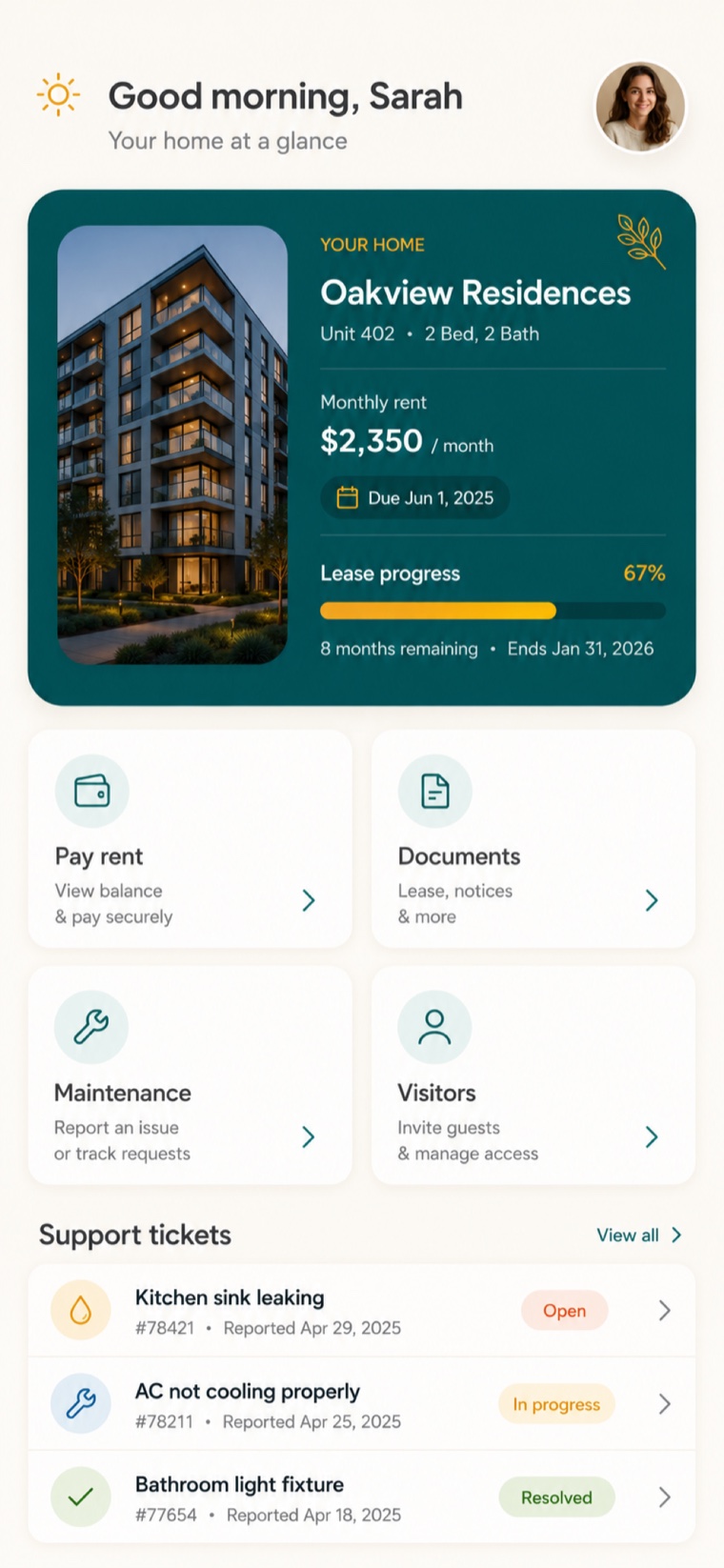
The tenant app showing support tickets
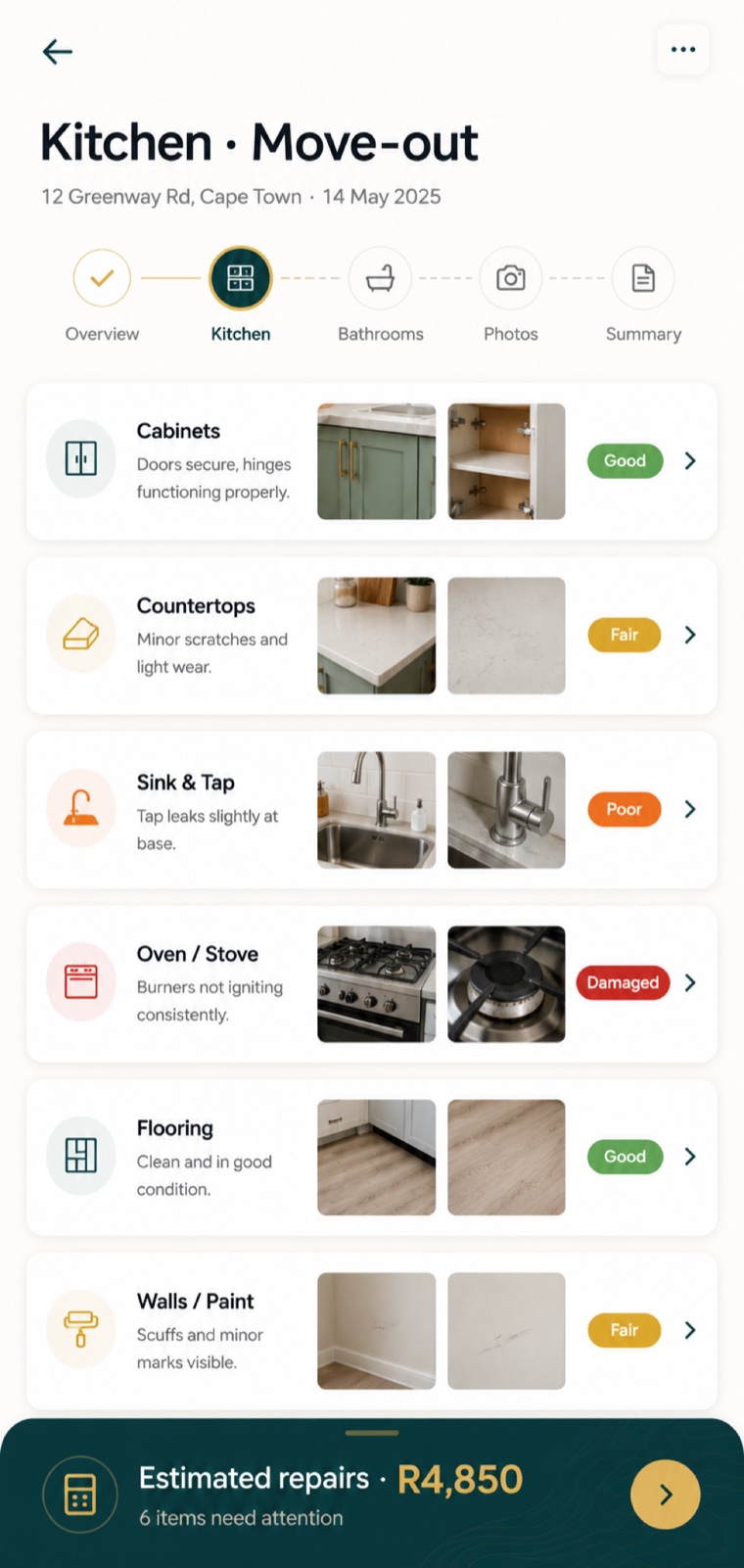
The inspector app capturing an inspection
Tenant & inspector apps

Beautiful mobile apps, in your colours.

Tenants log maintenance, raise support tickets, read notices and give notice to vacate — all from a polished app under your brand. Your team captures move-in and move-out inspections on the inspector app.

  • Unified support tickets — threaded conversations with photos and status.
  • Professional inspections — room-by-room, with condition, cost and signatures.
  • Push notifications — tenants and staff stay in the loop, instantly.
The product

Three apps. One system.

A management portal for your office, an app for your tenants and an app for your inspectors — all sharing one source of truth, all under your brand.

Questions

Common questions.

The things agencies usually want to know before they get started.

Is PropBoard my own system, or do applicants see PropBoard?

It runs under your own name and branding. Your applicants and tenants see your logo and colours on the portal and apps, so to them it is simply your system.

How long does it take to get started?

Usually a few days. We set up your branding, properties and team, and import your existing data, so you can go live within about a week.

Do I need to install anything?

Your team works in the office dashboard from a web browser — nothing to install. The inspections app and the tenant app are mobile apps for phones and tablets.

Can it handle a large development with hundreds of units?

Yes. For big estates you can switch a property to unit-type mode, so applicants apply for a layout such as “1 bed / 1 bath” instead of a long list of unit numbers. You assign the actual unit at approval.

How do applicants and tenants pay?

Applicants pay the deposit and rent into the bank account you give them and upload proof of payment (POP). PropBoard records it against the application — there is no card gateway for applicants to deal with.

Can tenants log maintenance and give notice?

Yes. In the tenant app, tenants log maintenance, raise support tickets, report incidents and submit a notice to vacate (NTV), then follow each request through to completion.

Is my data secure and separate from other agencies?

Each agency's data is kept separate, and every change is recorded in an audit log, so you always have a clear, defensible record of who did what and when.

Can I import my existing properties and tenants?

Yes. Bringing across your properties, units and active tenants is part of onboarding, so you start with everything already loaded.

Glossary

A few terms, explained.

Application
A prospective tenant's submission to rent a unit.
Vetting / screening
Checking an applicant's documents, affordability and credit before approval.
POP — Proof of Payment
An upload showing a deposit or rent was paid into your account.
NTV — Notice to Vacate
A tenant's formal notice that they intend to move out.
Unit-type / typology
A layout (e.g. 1 bed / 1 bath) applicants can apply for instead of a specific unit.
Move-in / move-out inspection
A recorded check of a unit's condition at the start and end of a lease.
Support ticket
A maintenance or general query a tenant raises in the tenant app.
Audit log
The record of every action taken on an application or tenancy.
Lease
The signed rental agreement between you and the tenant.

See PropBoard with your own listings.

Book a 30-minute demo — we'll load a few of your actual units and walk an application from submission to signed lease.